For all new users (including Superadmins, Admins, Teachers, and Guardians) who have not yet verified their accounts, you must complete the First Time Login process if you have not previously verified your account.
If you are registered as a Superadmin, Admin, or Teacher, here's a guide how to complete the First Time Login via the web:
First Time Login via Web
Open page https://app.aoneschools.com/login
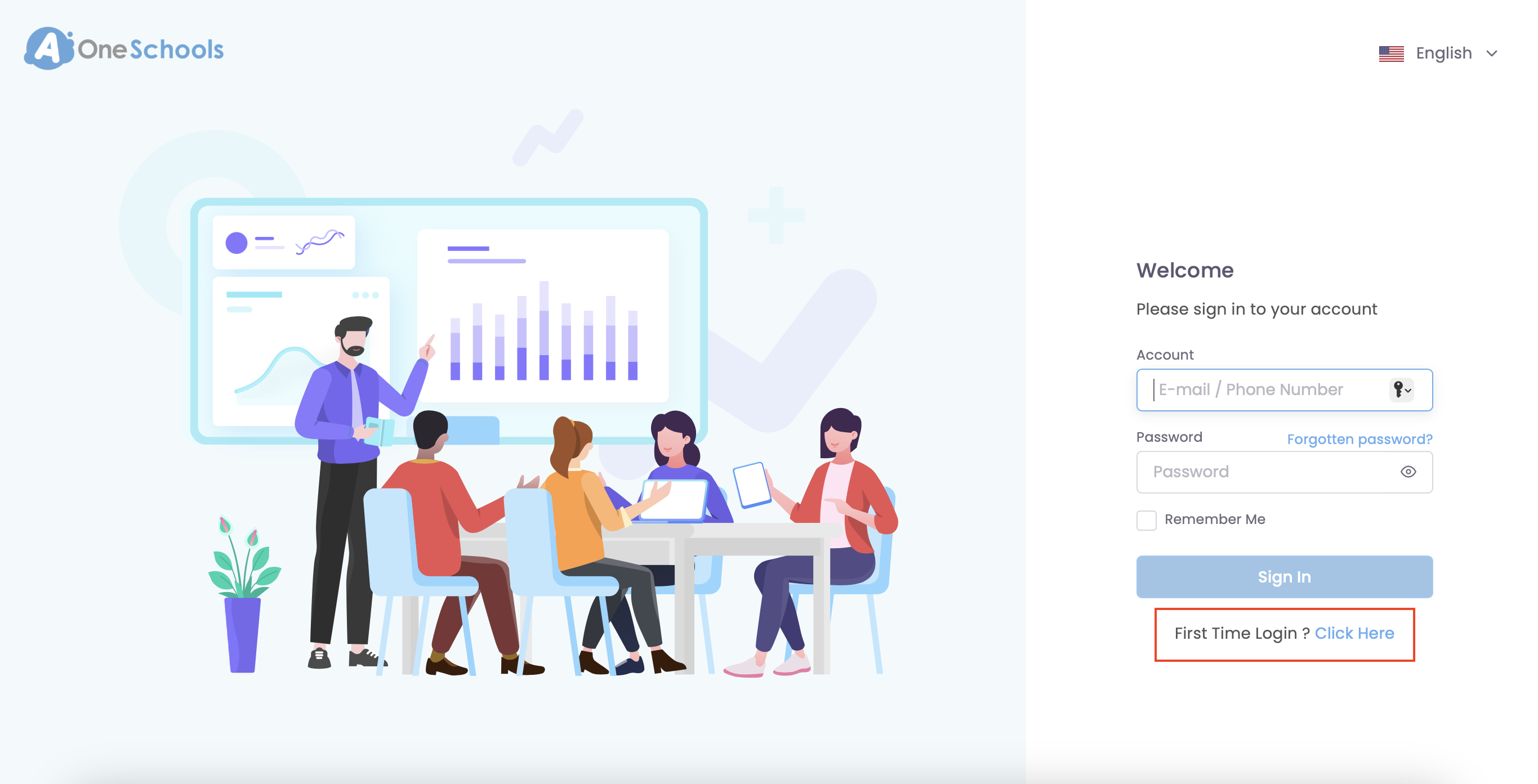
1. Select First Time Login? Click Here.
- Email – Receive the OTP code by email.
- Mobile number – Receive the OTP code via SMS or WhatsApp.
The OTP code is valid for 1 minute, regardless of whether you receive it by email, SMS, or WhatsApp. If the OTP code expires, you’ll need to request a new one.
After you have successfully verified, you can login via the main page.
If you are registered as a Teacher or Guardian, here's a guide how to complete the First Time Login via the mobile app:
First Time Login via Mobile Apps
Open AOne app.
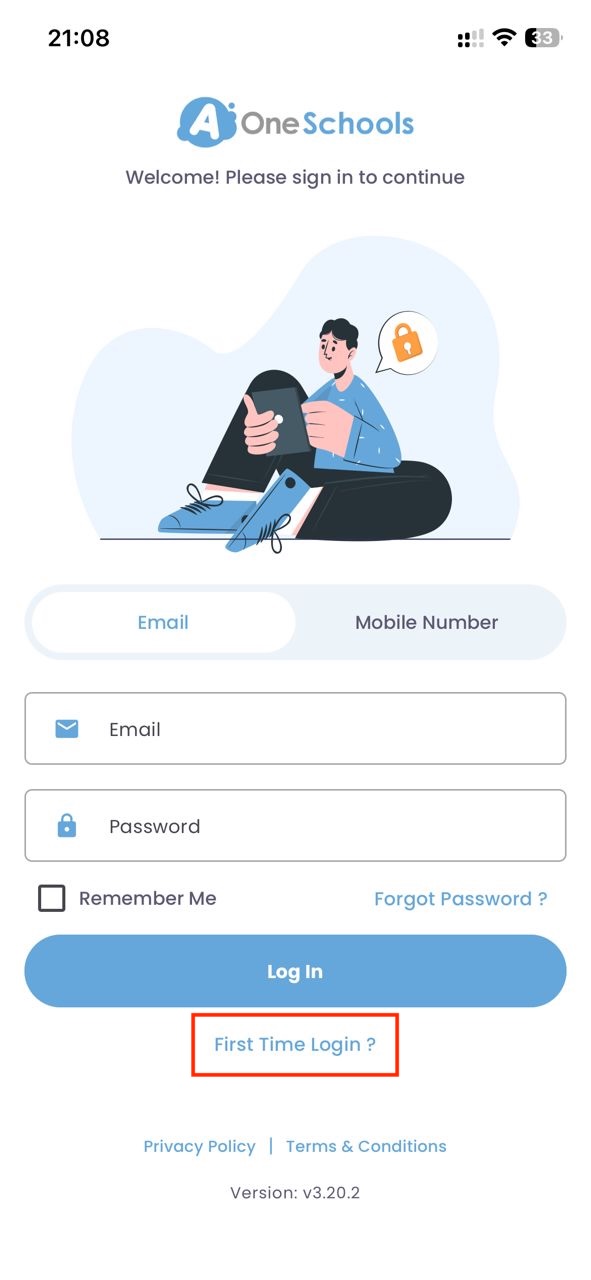
1. Click First Time Login?.
2. Choose whether you would like to verify using your registered email or mobile number, then tap the
respective tab and enter the required details.
- Email – Receive the OTP code by email.
- Mobile number – Receive the OTP code via SMS or WhatsApp.
The OTP code is valid for 1 minute, regardless of whether you receive it by email, SMS, or WhatsApp. If the OTP code expires, you’ll need to request a new one.
5. Key in the OTP code.
Teachers and Guardians / Students who can log in through the mobile app can download it from this link: Download the AOne App
Parents cannot log in to AOne via web browsers. They can only access AOne using the mobile app. If you're a parent, please download the AOne app to access your account.
Was this article helpful?
That’s Great!
Thank you for your feedback
Sorry! We couldn't be helpful
Thank you for your feedback
Feedback sent
We appreciate your effort and will try to fix the article